USTP
USTP, short for “Use Superintelligent Tabot Please”, is a Chrome extension for turning a noisy browser window into a working research workspace.
Instead of treating tabs like disposable clutter, USTP lets you capture a whole window, review the saved pages in one place, summarize individual sources, build a workspace brief, chat against the page context, and generate reusable SKILL.md files for AI-agent workflows.
What USTP does
- Captures the current browser window into a saved workspace
- Summarizes webpages and direct PDF links with Gemini
- Builds a workspace-level rollup from captured pages
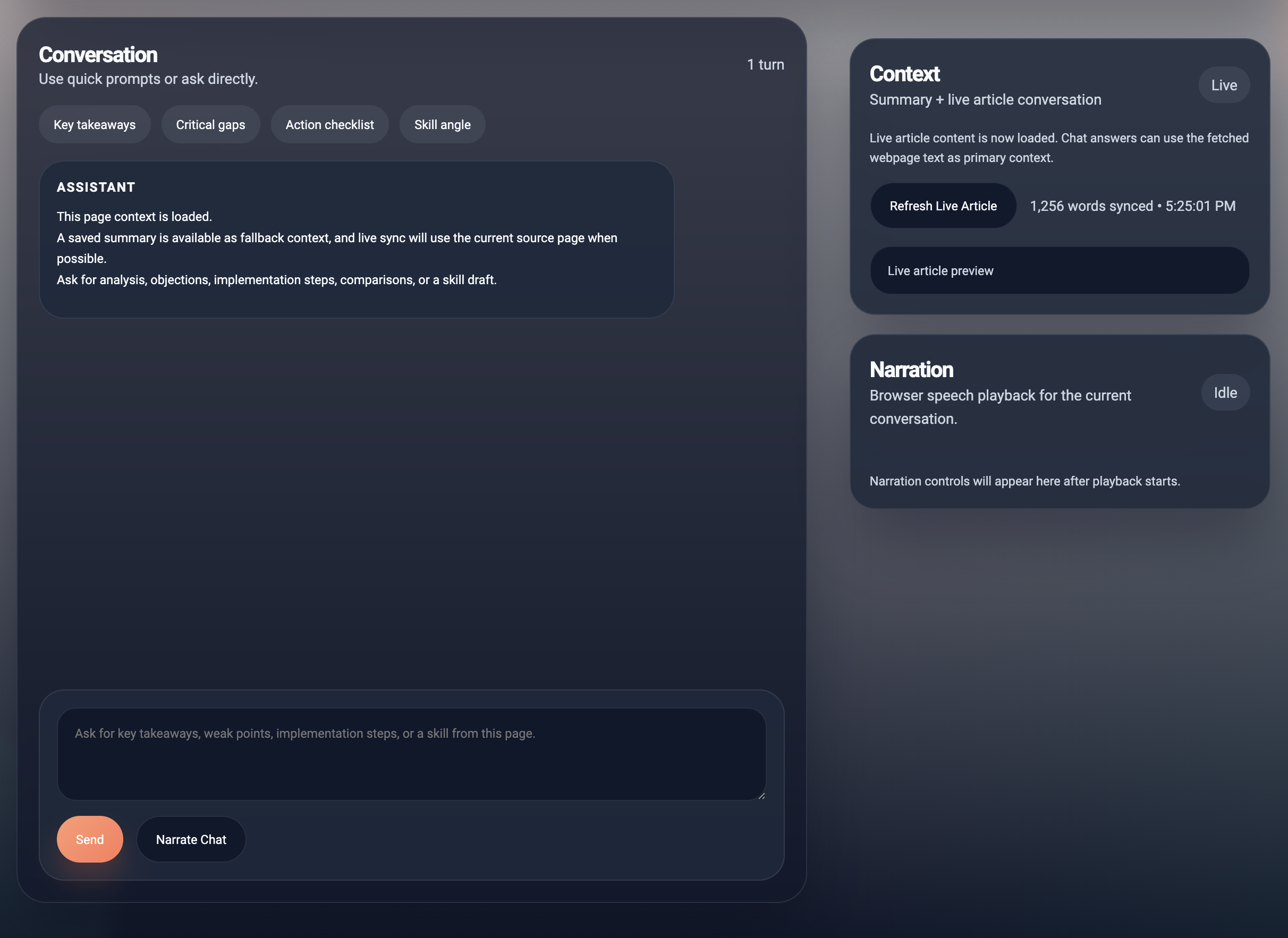
- Opens a chat view that can use the saved summary plus live webpage or PDF context
- Generates
SKILL.mdfiles from strong source pages - Stores workspace state locally with Chrome extension storage
Current feature set
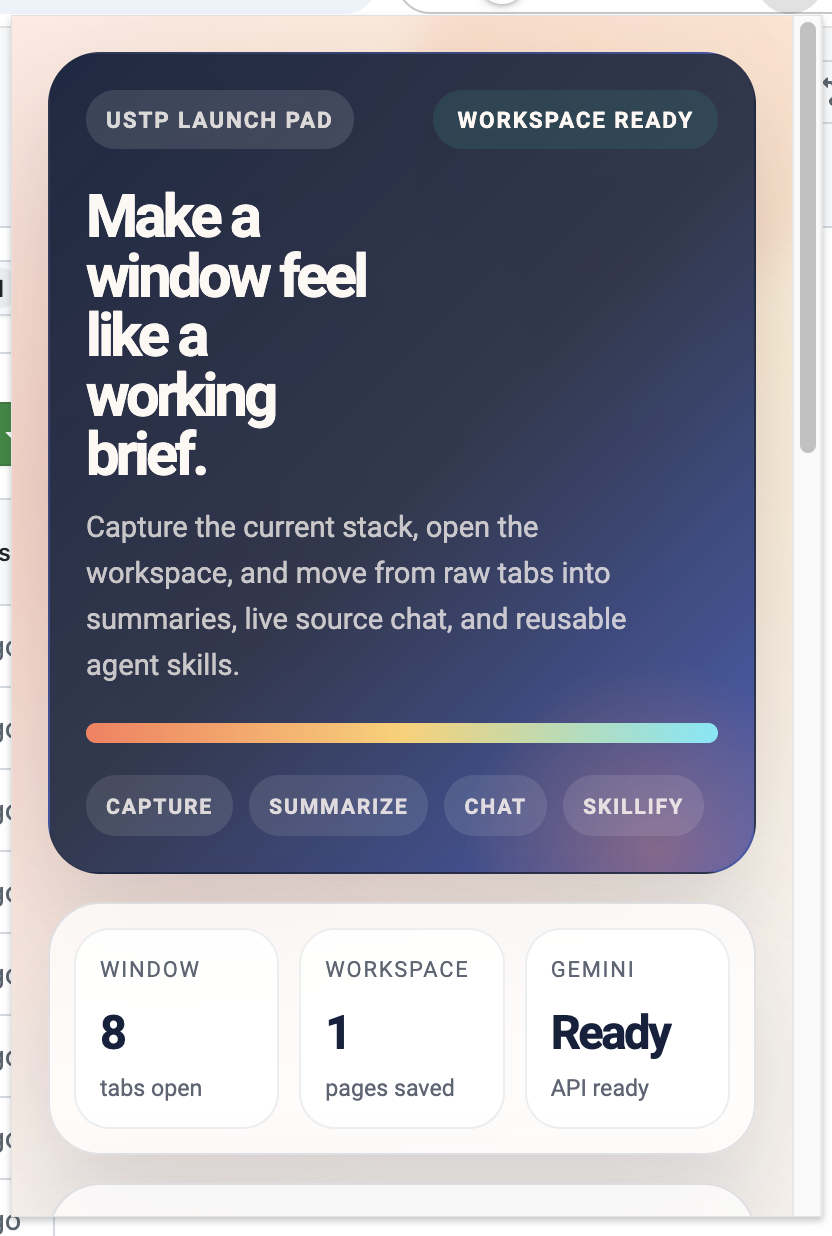
- Beautiful popup launch page with workspace readiness and next-step guidance
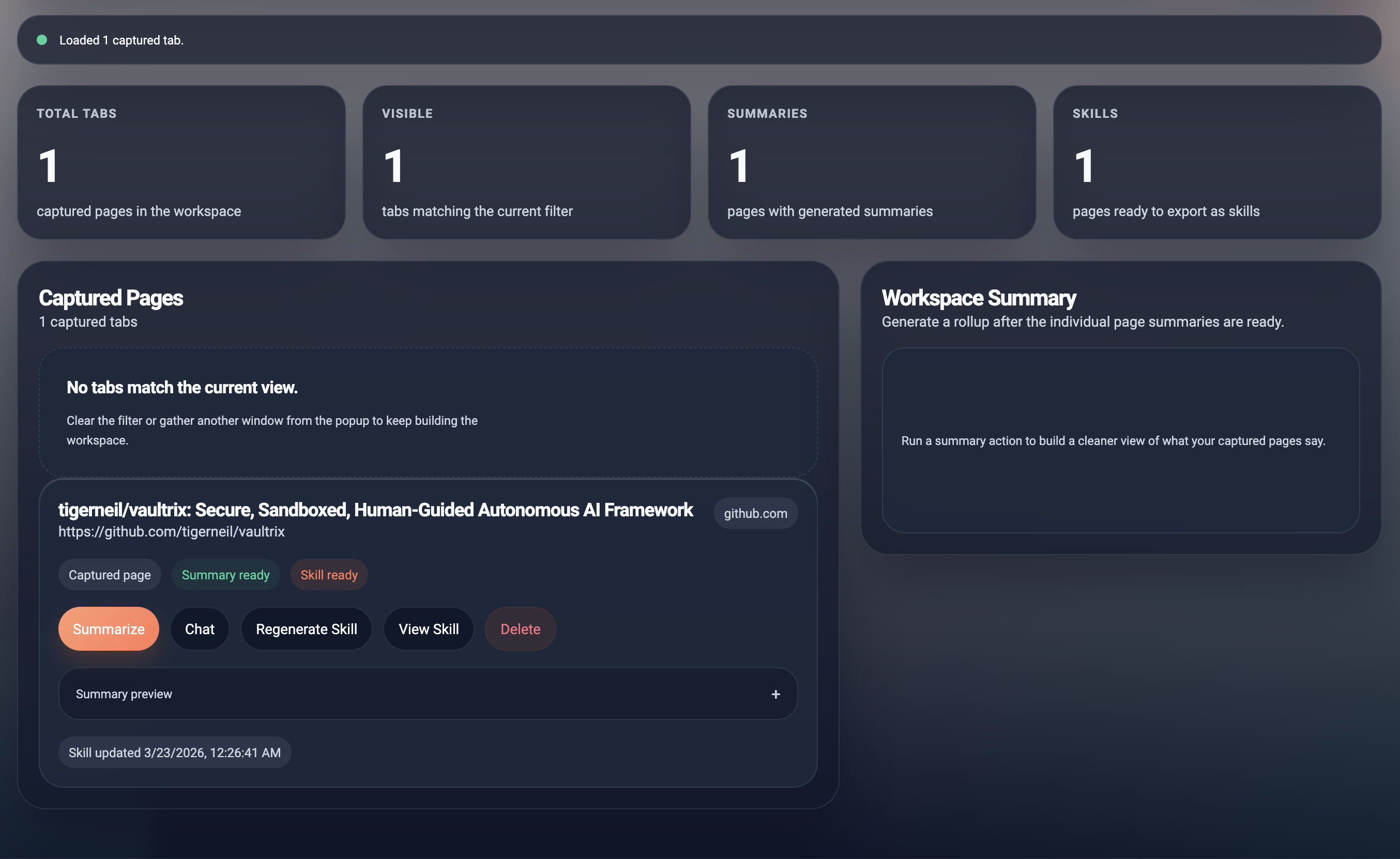
- Saved workspace view for reviewing captured tabs
- Per-page summary generation
- Workspace summary generation
- Live article sync on the chat page
- Direct PDF link analysis for summaries, chat, and skill generation
- Page-to-skill transformation for AI-agent workflows
- Local theme support across the main extension pages
Installation
- Download or clone this repository to your local machine.
- Open
chrome://extensions/in Chrome. - Enable
Developer mode. - Click
Load unpacked. - Select the root directory of this project.
- Open the extension popup from the Chrome toolbar.
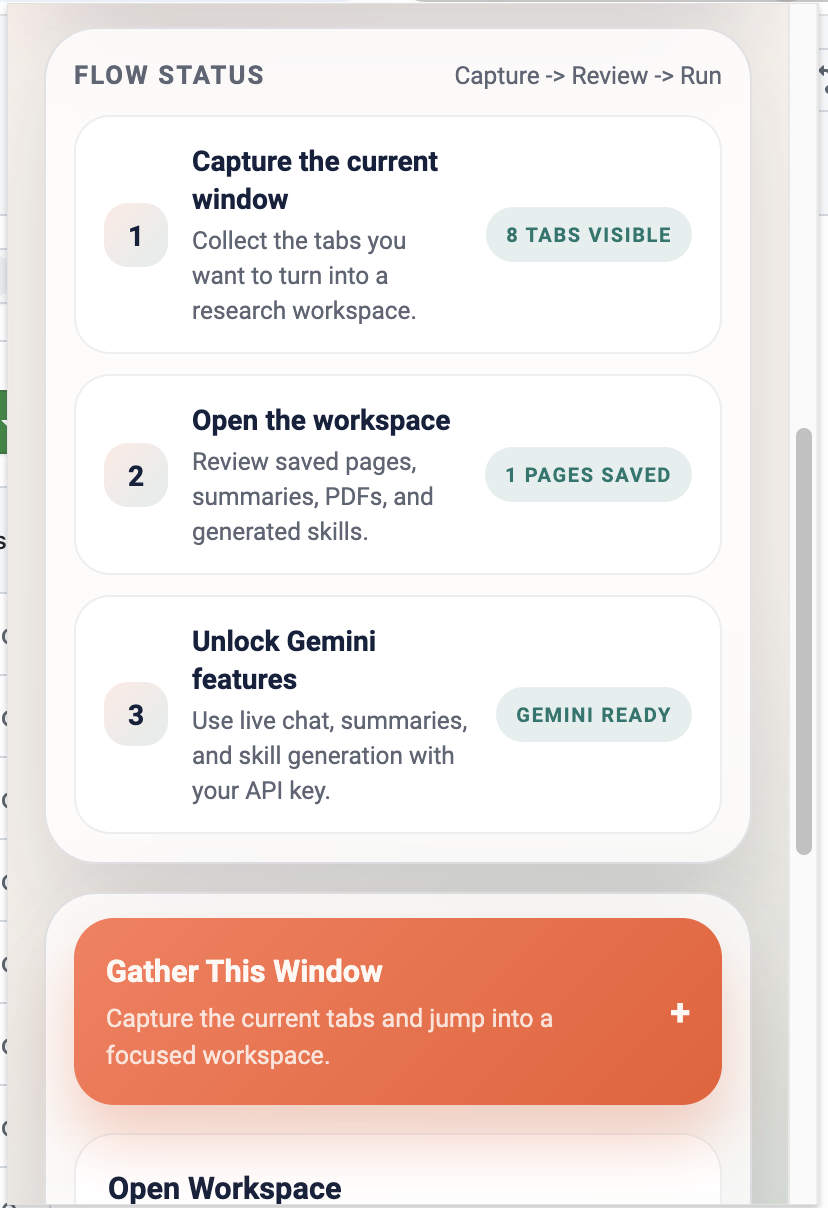
Basic workflow
- Open the tabs you want to work with in one browser window.
- Open the USTP popup and click
Gather This Window. - Review the saved pages in the workspace.
- Add your Gemini API key in the workspace when prompted.
- Generate page summaries or a workspace brief.
- Open chat for a page when you want question-driven analysis.
- Generate a
SKILL.mdfrom a page when you want to turn the source into a reusable agent capability.
Main screens
popup.html: extension homepage / launch padtablist.html: captured workspace and summary flowchatbot.html: page chat with live source sync
Project structure
manifest.json: Chrome extension manifestpopup.html/popup.js: launch experience and workspace entrytablist.html/tablist.js: saved workspace, summaries, and skill actionschatbot.html/chatbot.js: source-grounded chat experienceskillGenerator.js: page-to-skill generation modulebackground.js: background service worker
Notes and limitations
- You need access to the Gemini API for summaries, chat, and skill generation.
- Direct PDF support works best for fetchable PDF URLs.
- Protected pages, heavily client-rendered pages, or sites that block fetch requests can still produce incomplete context.
- Large live sources may be trimmed before being sent to the model.
Screenshots
Popup launch pad:
Popup flow and actions:
Workspace overview:
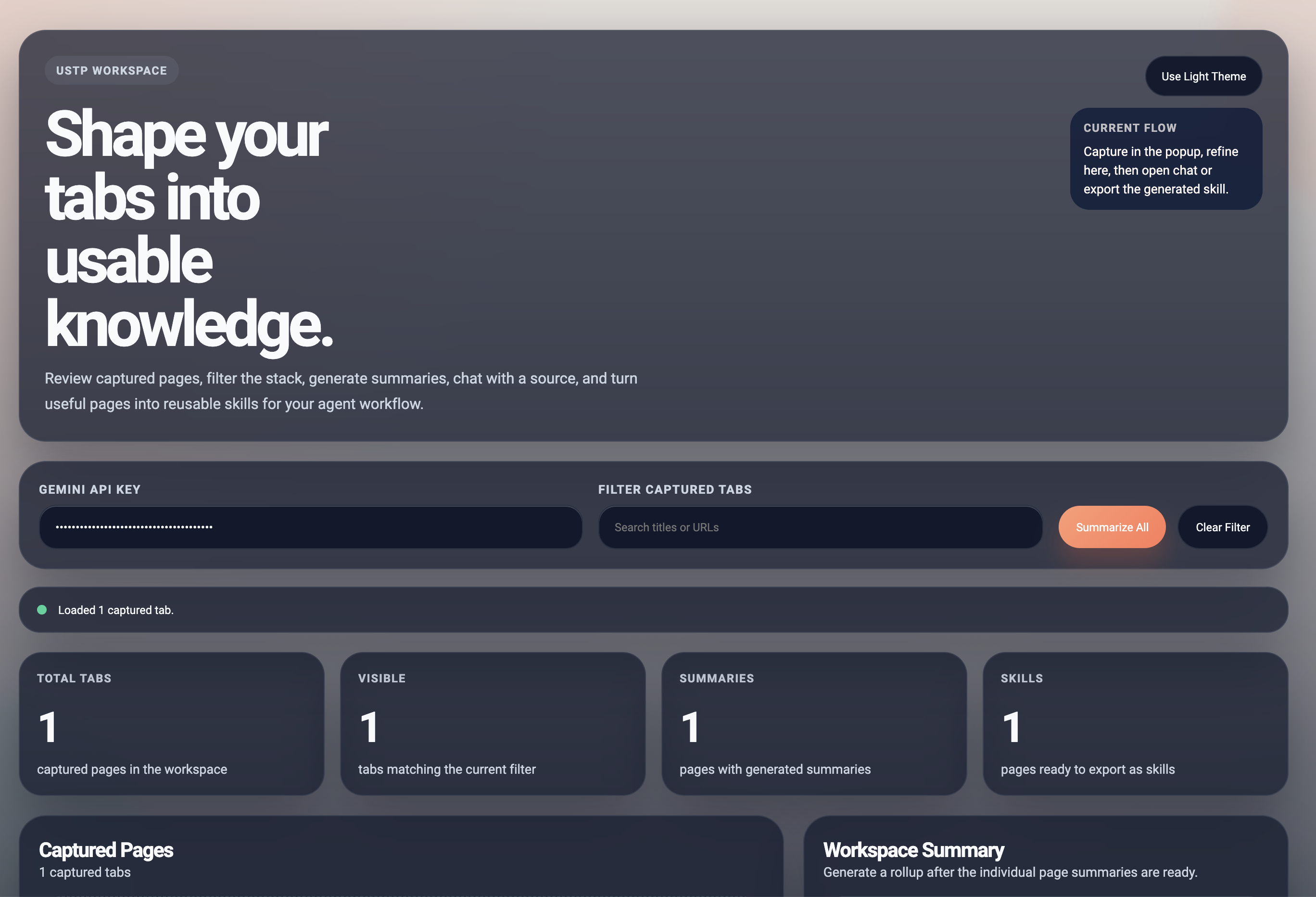
Captured pages, summaries, and skills:
Source-grounded chat: